
insights
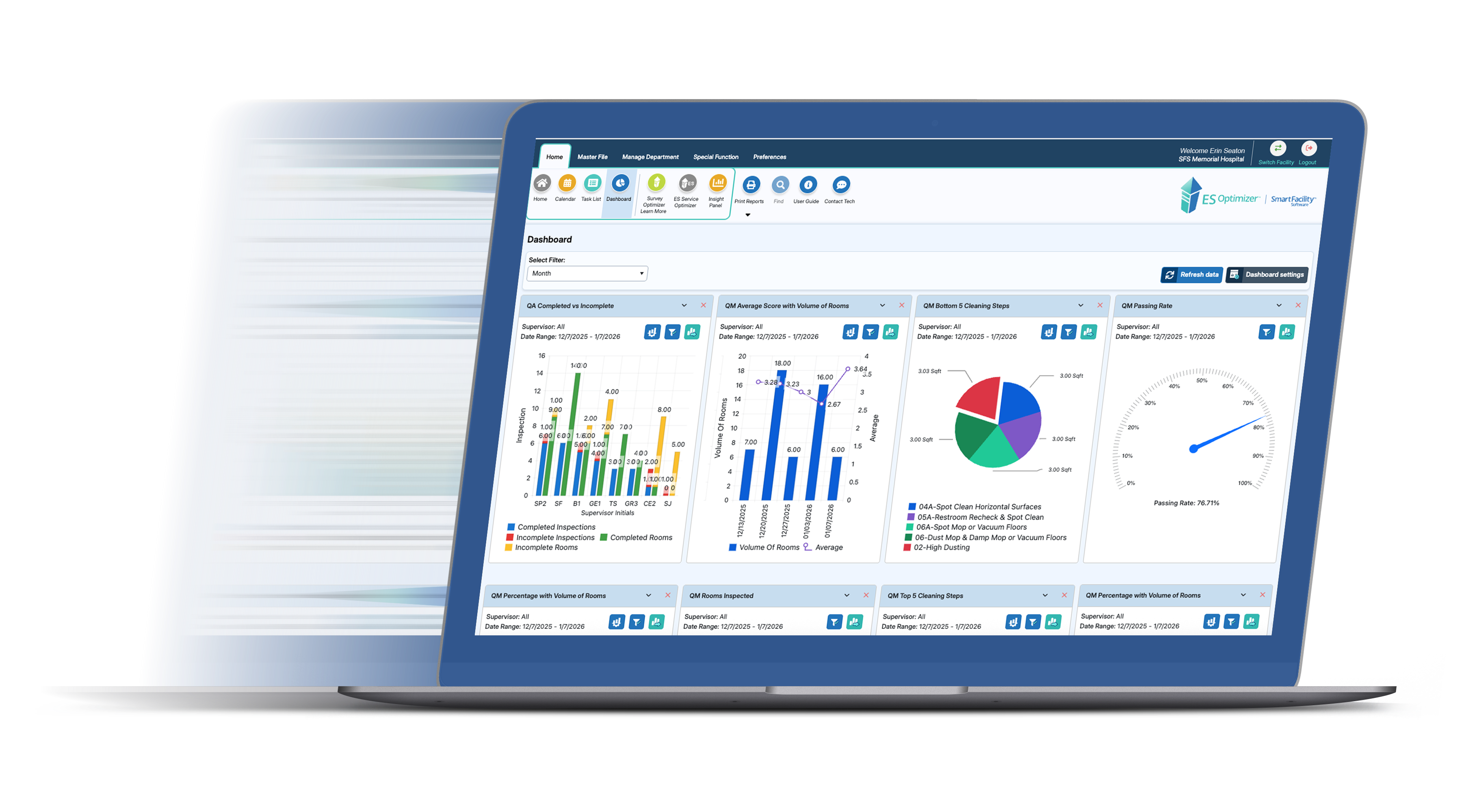
The new ES Optimizer is here — a smoother, faster experience that helps you work more efficiently.
 30 Years, Building the Right Technology for EVS
With 30 years experience in building the right technology – specifically for EVS – Smart Facility Software works to stay on top of the best software platforms and continually improve user experience.
In February of 2026, ES Optimizer got a powerful refresh, including improvements to:
- Speed — faster performance across the board
- Security — continued upgrades for maximum security
- Appearance — a fresh and friendly new look
- Features — new capabilities focused on Training, Reports and Work Assignment Status
The Best Part
All of your existing features are still right where you expect them to be. No relearning, no disruption — just a smoother, faster experience that helps you work more efficiently.
SPEED & SECURITY
You will experience faster everything.
 Faster reporting, faster work assignment management, faster downloads, and more. We’re excited for you to experience the difference.
Upgraded performance, functionality and future.
The software has been upgraded to current, high-performance technology. It’s built with fast, efficient programming languages and runs on the latest hardware, including a fiber-connected SAN (storage area network) for maximum speed and reliability.
We carefully evaluated multiple approaches to this upgrade and selected the one that best balances performance, stability, functionality, and the future — so you get speed without sacrificing the features you rely on.
THE FRESH LOOK
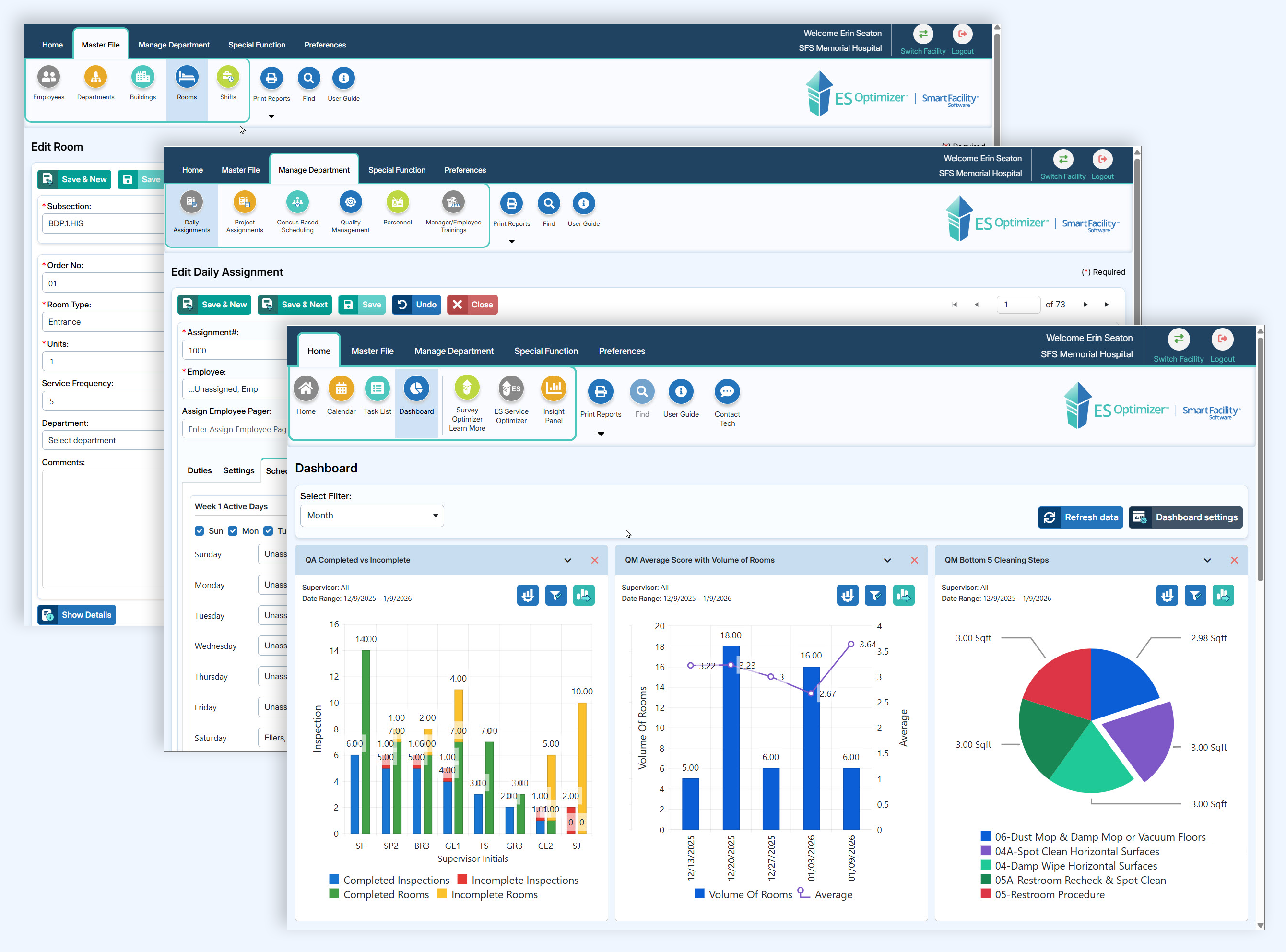
Friendly interface.
With the new ES Optimizer, you see a new fresh and friendly interface. Colorful buttons lead to your trusted features.
NEW FEATURES
Favorite Reports.
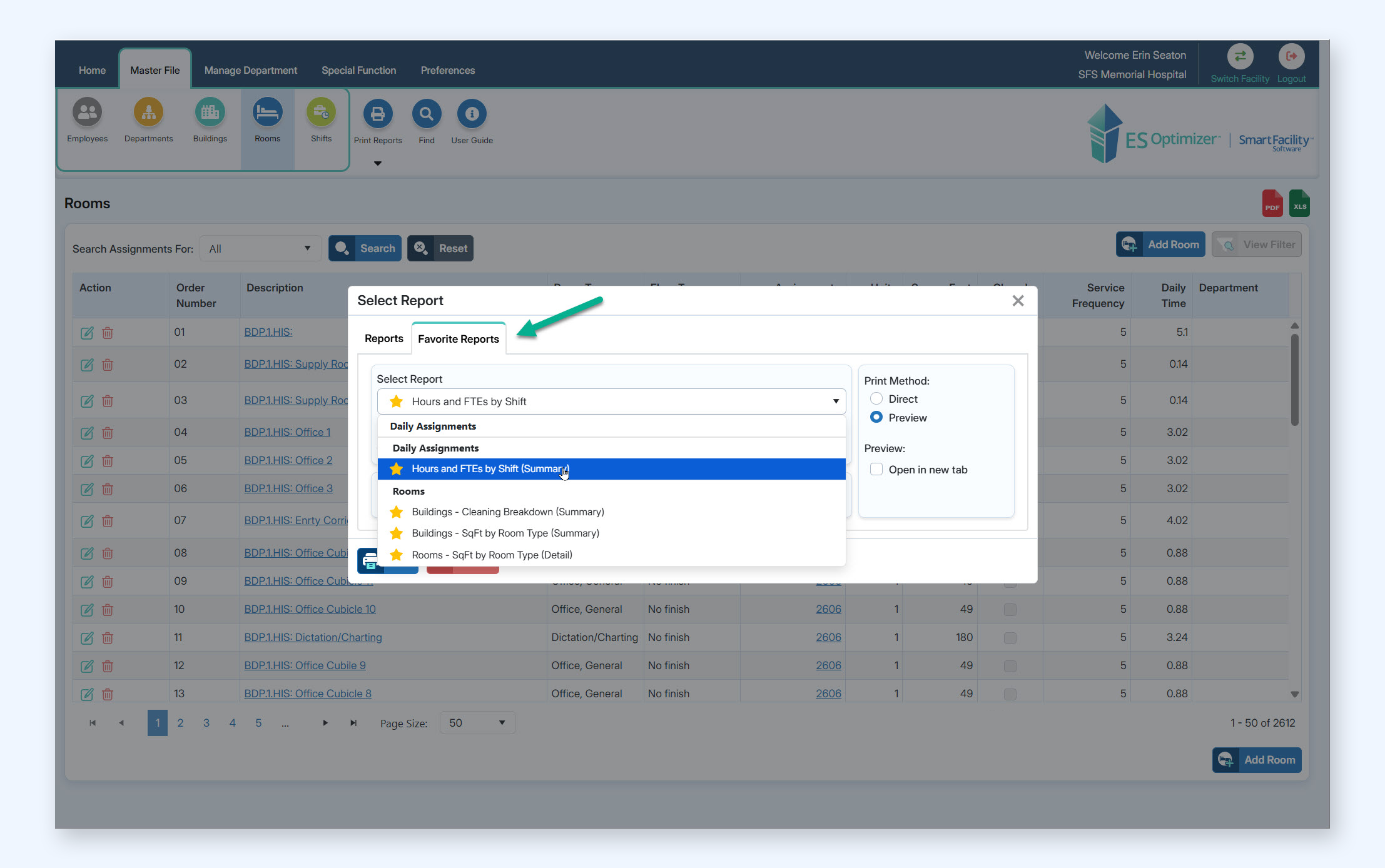
Save your Favorite Reports. Find them anywhere in the software.
In the “Print Reports” screen, you can add a report to Favorites by clicking on the star next to the report name.
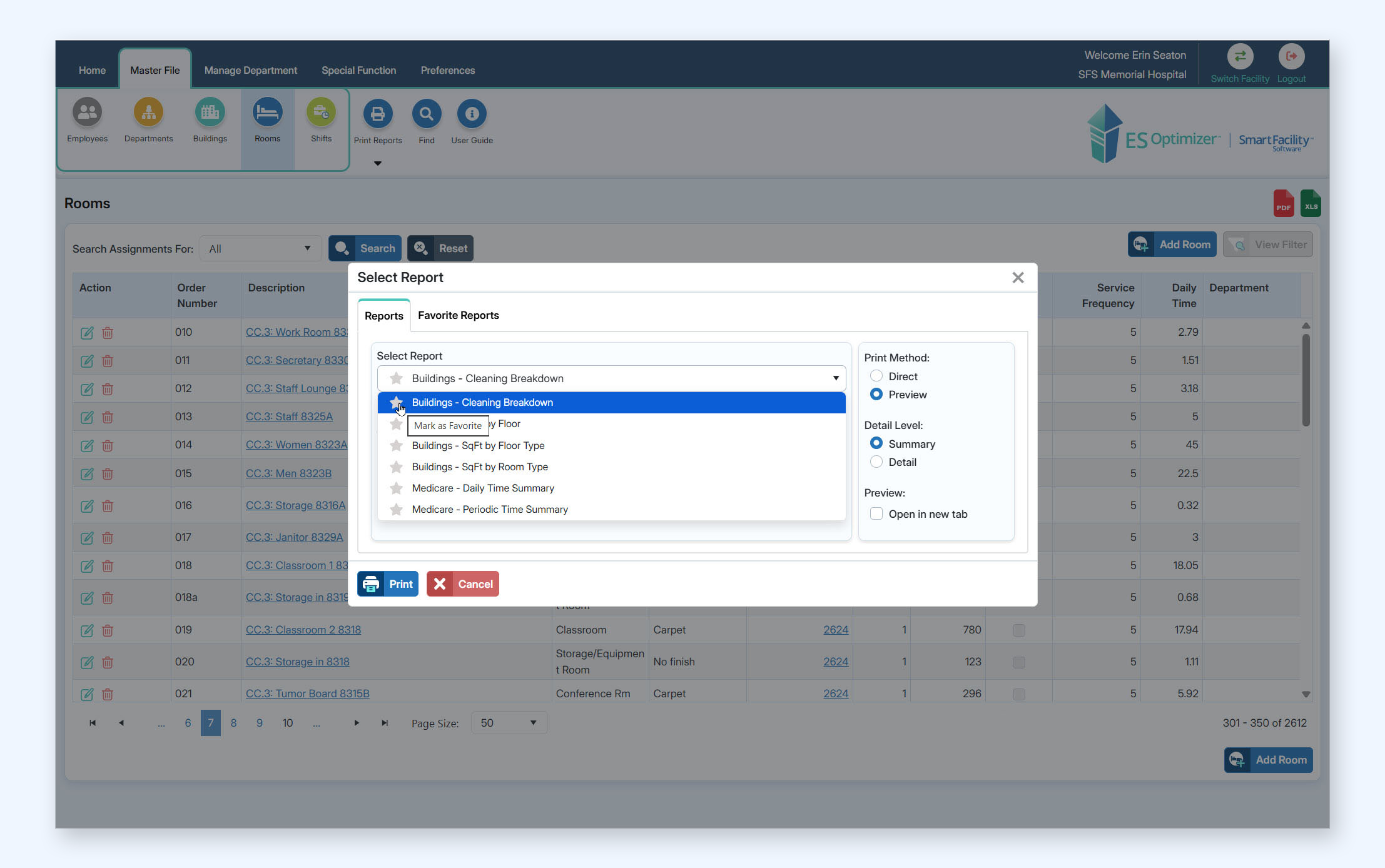
Any Report in Favorites will have a yellow star next to it. You can find your favorite reports from anywhere in the software by choosing “Print Reports” and then the “Favorite Reports” tab.
Daily Assignment Summary.
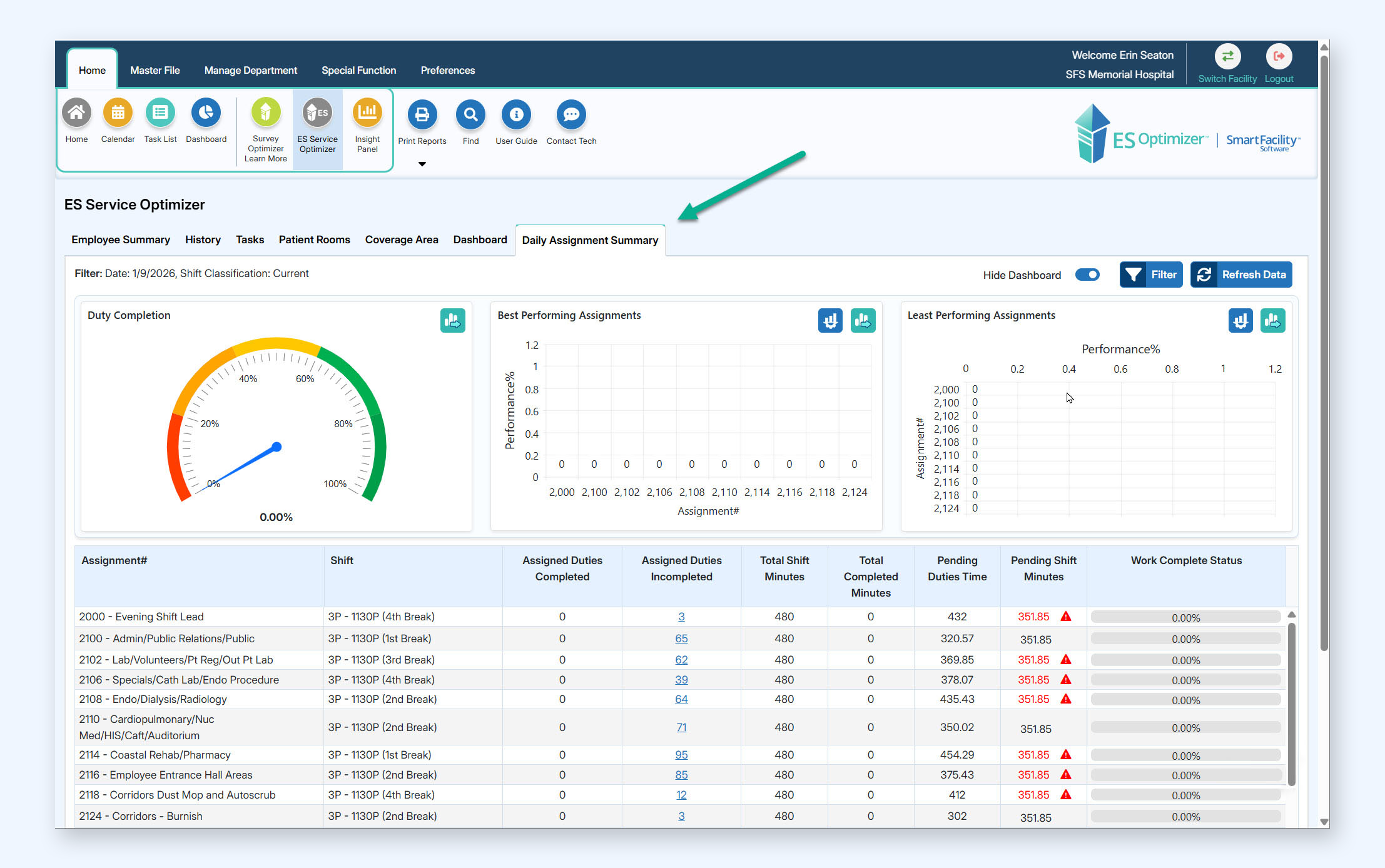
ES Service Optimizer’s New Tool for seeing Assignment Status at a glance.
If you have the ES Service Optimizer add-on, and your EVS Techs are tracking their work on mobile devices, you see real time updates on the progress of the assignments. See Duties Completed vs. Incomplete, Total Completed Minutes vs. Pending Minutes, % complete, and more.
Renewed Training Features and Class Content.
Powerful additions.
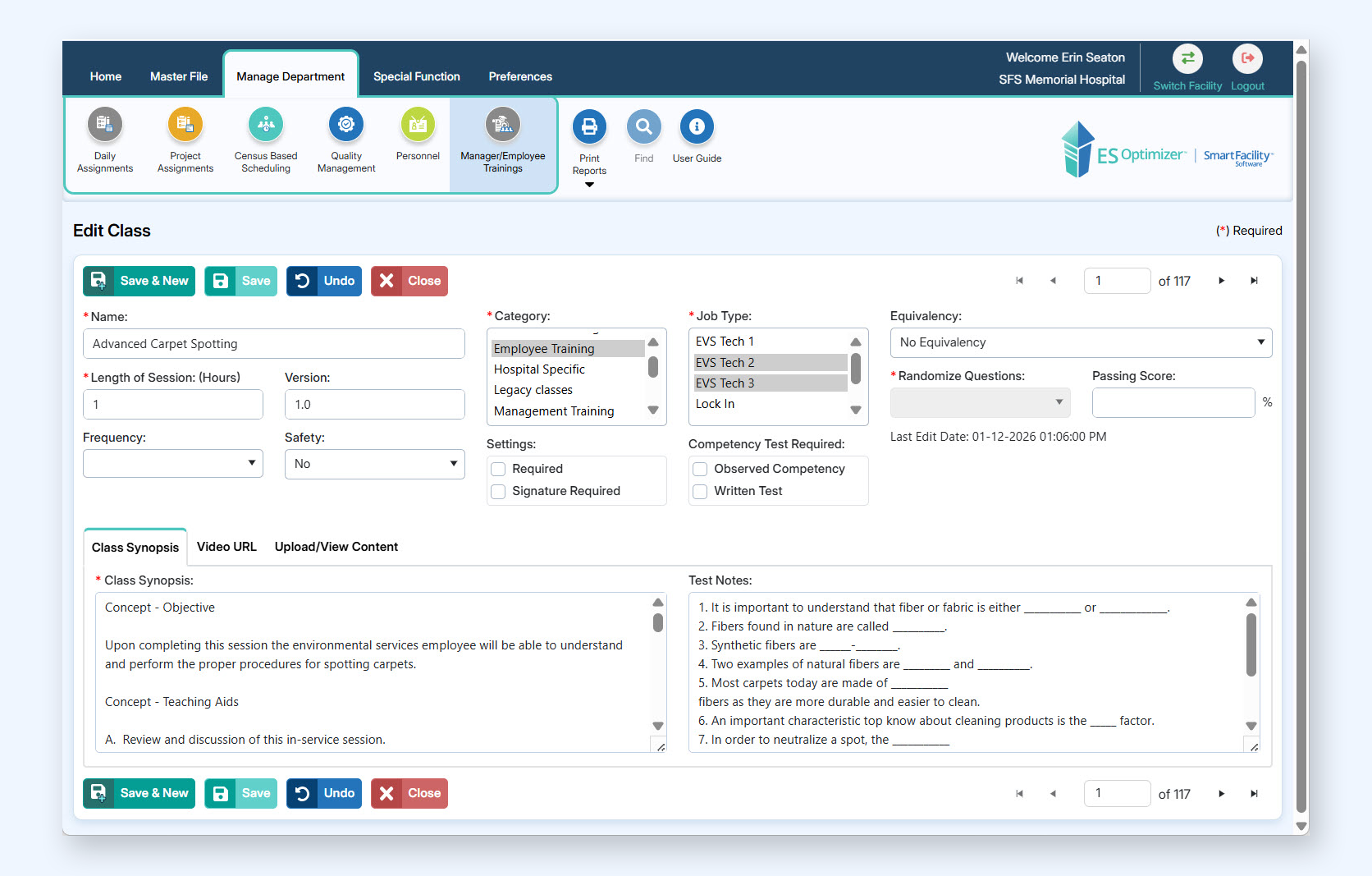
The Manager & Employee Training Section is much more powerful — with these upgrades:
- The library contains over 50 training classes complete with new PowerPoint presentations written by industry insiders.
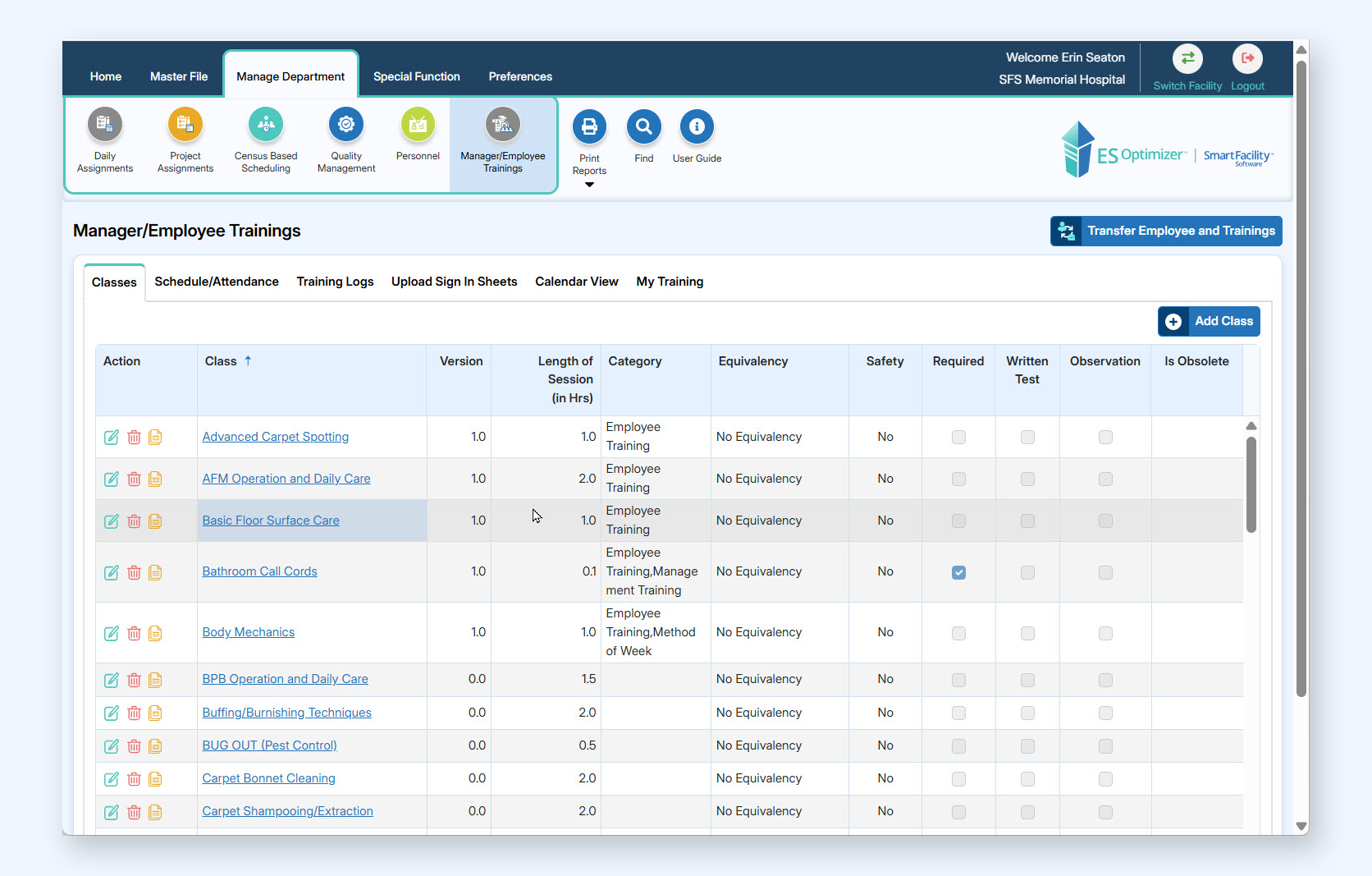
- Add classes to a curriculum.
- Add curriculums to employee roles or add them directly to the employees.
- Ability to Transfer an Employee and their training records to another facility.
- Ability to view SCORM eLearning content from the web application.
- Upload your own PowerPoints and we’ll turn them into SCORM content for you!
From the industry’s leading EVS Management Software.
We’re honored to work with hundreds of EVS departments in the United States. And, we’re eager to share these powerful speed, security and feature upgrades with our existing and prospective customer partners. Thank you for supporting Smart Facility Software through what is now four decades of software development and evolution — specifically for EVS management.
Want to learn more?
Request a Demo — as a current or prospective user of ES Optimizer.
New to Smart Facility Software? Request a one-on-one demonstration of the industry’s leaving EVS software.
For customers, email us at info@smartfacilitysoftware.com.