

ES Optimizer Mobile App
Making EVS managers mobile.
Even a supervisor who has never touched a tablet or smartphone will be up and running in a few minutes on our mobile app. Simply download Smart Facility Software’s ES Optimizer mobile app from the Apple App Store and synchronize with your ES Optimizer database.
The Quality Management Module in the mobile app comes standard with ES Optimizer. Subscribers to Service Optimizer and Survey Optimizer will see options for these tools in the app as well.
With ES Optimizer, your basic setup includes the Quality Management module. ES Optimizer Mobile allows you to use this module to perform cleaning inspections in the field with your Apple mobile device and sync the data with your ES Optimizer database.

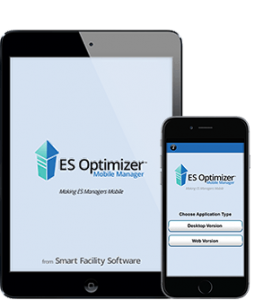
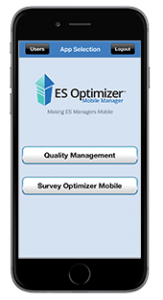
ES Optimizer Mobile Manager runs on any Apple device including iPhone, iPod, and iPad. Perform cleaning inspections on-the-go with this new mobile app from Smart Facility Software.
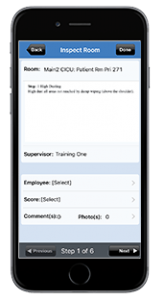
This screen shows how an inspection is performed by individual step. The process involves grading individual cleaning steps. We also tag the employee who performed the work. ES Optimizer Mobile Manager runs on also gives you the option adding a comment for failed steps thereby creating an audit trail for future training needs.
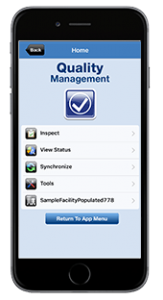
ES Optimizer Mobile has a full-featured suite of tools that allow you to:
- Perform a cleaning inspection.
- View the status of all inspections.
- Synchronize your inspection data to the web-based database.
- Use tools to reset data & reassign users.
- Setup to a unique web server address.
- View data logs.
- Build & conduct surveys in the field (with Survey Optimizer upgrade).
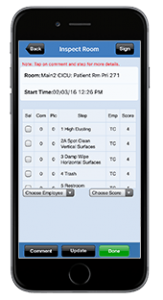
This screen shows how multiple steps perform an inspection which provides another option for scoring. The process involves grading cleaning steps. We also tag the employee who performed the work. ES Optimizer Mobile Manager also gives you the option of adding a comment for failed steps thereby creating an audit trail for future training needs.