

Home > Software Capabilities > EVS Staffing Software
What If Scenarios
for Staffing
Change the cleaning plan or resource allocation, project the effects, make informed decisions.
From Insight to Action
The What If feature helps identify the best approach to achieve the highest level of cleanliness within your facility’s budget. To best align the cleaning plan with budget goals, you can run multiple scenarios and then drill into the details—such as adjusting office or floor cleaning strategies. Run as many scenarios as you want, using this tool until you find the best distribution of resources. These What If scenarios inform your initial Staffing Analysis.
Flexible, Detailed, Ongoing Scenario Planning
This What If tool remains valuable anytime changes are proposed or new challenges arise within the EVS department. By running “What If” scenarios, EVS leaders can evaluate potential changes before implementation—gaining a clear understanding of the impact on staffing, costs, and cleaning quality. The result: more informed, confident decision-making.
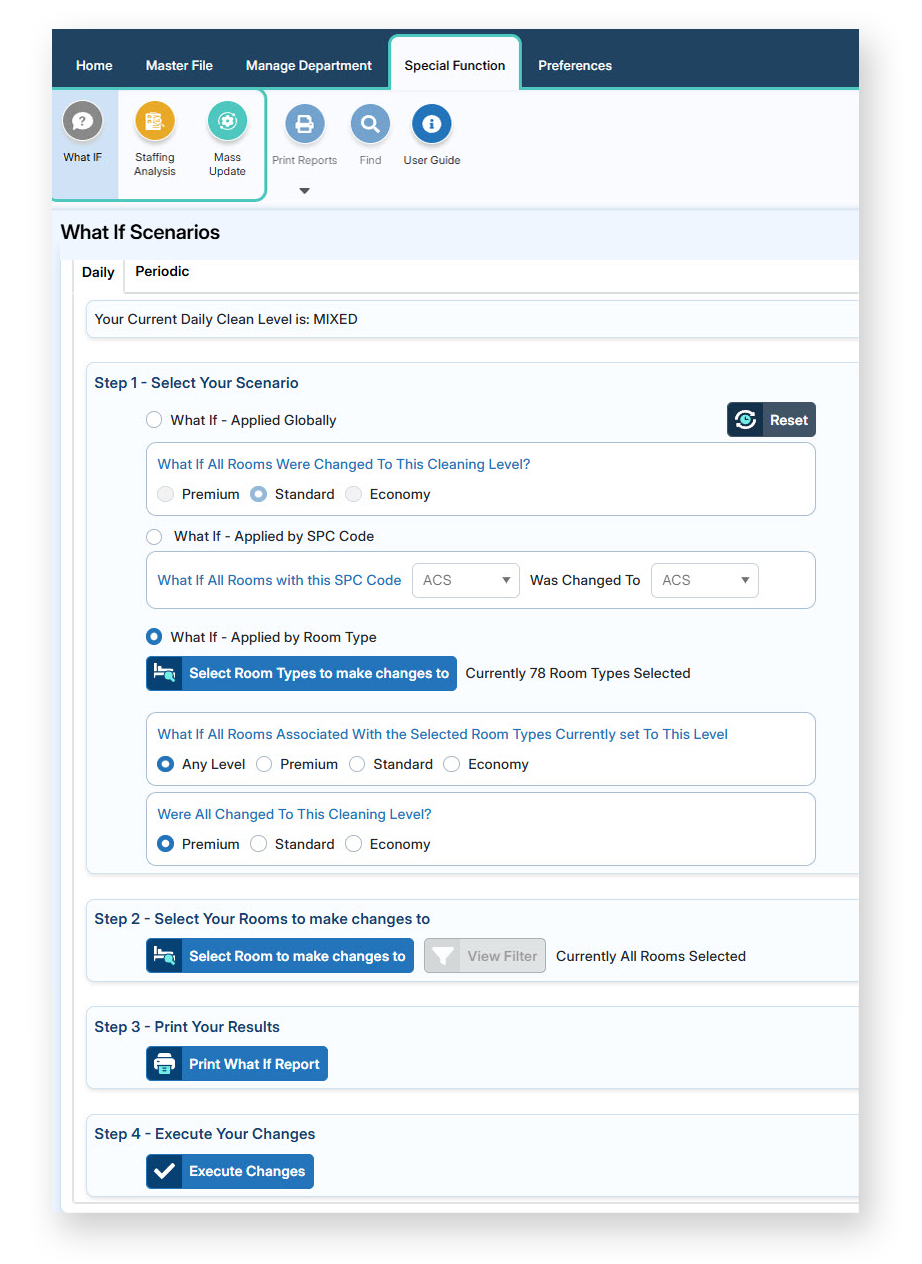 The What If tool allows you to explore changes across your entire database or focus on specific criteria. For example, you can:
- Adjust cleaning levels across all rooms (Premium, Standard, Economy)
- Modify specific cleaning procedure codes (e.g., changing Light Traffic Office to High Traffic Office)
- Apply changes to all room types or target specific ones
- Instantly see how adjustments would impact FTE requirements
See the Impact Before you Commit
A key advantage of this feature is the ability to evaluate changes without applying them. You can:
- Preview a detailed report of proposed changes
- Understand how cleaning times and staffing needs will shift
- Identify exactly which rooms and areas are affected
Once you’re confident in a What If scenario, the changes can be executed with a single click, updating your database instantly. 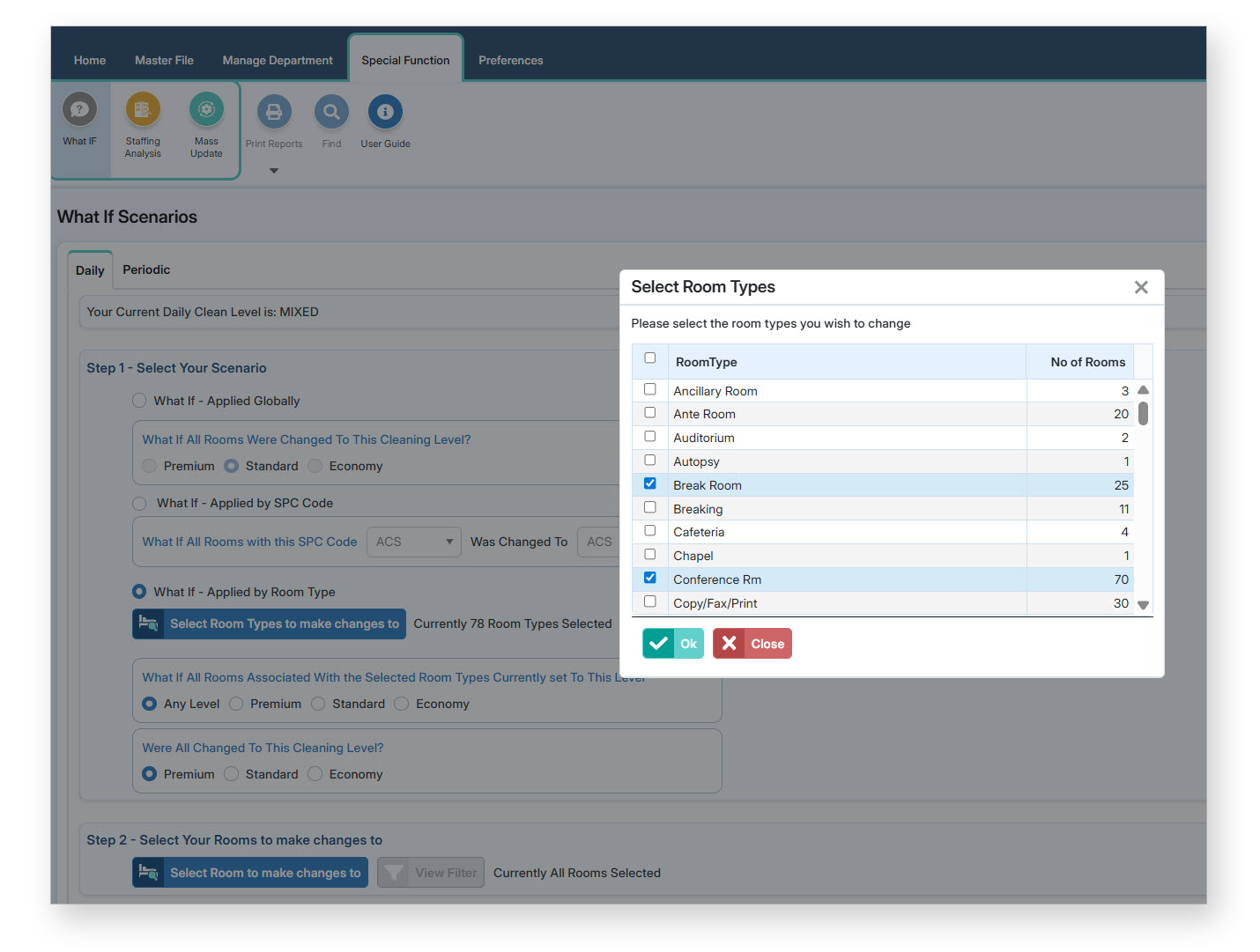
This approach allows you to explore options, compare scenarios, and refine your strategy before making permanent updates. In short, the What If feature enables EVS teams to plan smarter, adapt quickly, and move forward with clarity and control.
Learn more about Staffing with Smart Facility Software.
Request a Demo:
See What Ifs in Action
See our EVS software in action.

Smart Facility at CarolinaEast
Visible, Real-Time Communications